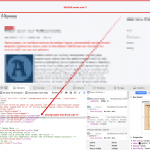
A critical zero-day vulnerability has been discovered in SP Page Builder, a widely used Joomla extension. An emergency patch has been released in SP Page Builder 6.6.2, and all website owners are strongly urged to update immediately.
At AgeThemes, website security is a top priority. If your Joomla site is using SP Page Builder, this update is urgent.
Why This Vulnerability Is So Serious
The flaw allows a non-authenticated attacker to upload and execute malicious files on your server. This means:
No login is required
Attackers can upload a PHP payload
Full site takeover is possible
The exploit is already being actively used in the wild.
This vulnerability is classified as Remote Code Execution (RCE) caused by an unauthenticated arbitrary file upload, one of the most severe types of web security issues.
Affected Versions
All SP Page Builder 6.x versions up to and including 6.6.1 are vulnerable.
Important:
The vulnerability exists as soon as the component is installed. You do not need to have created or published a page with it to be at risk.
Why Disabling the Extension Is Not Enough
Simply disabling SP Page Builder does not fully protect your site. The vulnerable endpoint can still be accessed even when the component is deactivated.
Updating to version 6.6.2 is required.
Technical Overview of the Vulnerability
The issue lies in an internal function called:
asset.uploadCustomIcon
The problems with this function include:
Insufficient validation
No proper authentication enforcement
Inadequate file type restrictions
Writing uploaded files to a web-accessible directory
This allows attackers to upload a malicious PHP file and execute it directly via browser request.
What Was Fixed in Version 6.6.2
The patched version now:
Requires authenticated users
Enforces proper authorization
Requires a valid CSRF token
Rejects anonymous requests
The vulnerability entry point is properly secured in version 6.6.2.
Important: Updating Alone May Not Be Enough
While version 6.6.2 closes the original vulnerability, attackers who already exploited the flaw may have left persistent backdoors.
You must verify whether your site has already been compromised.
Signs Your Site May Be Compromised
1) Hidden Super-User Accounts
Attackers have been creating administrator accounts with names such as:
“Web Editor”
“Admin Backup”
A common red flag is email addresses ending with:
@secure.local
This is not a legitimate Joomla domain. If you find such accounts, treat your site as compromised.
2) Malicious PHP Backdoor Files
Attackers typically place PHP file manager-style backdoors in locations such as:
images/.../fonts/
media/com_admin/
media/regularlabs/
Common filenames include:
users.php
You may also find the string:
PHP File manager
Attackers often place multiple copies so deleting one does not remove persistence.
What You Should Do Immediately
Step 1: Update SP Page Builder to 6.6.2
You can update via:
Option A – Joomla Updater
Go to System → Updates → Check for Updates
Update SP Page Builder
Option B – Manual Installation
Download version 6.6.2 from the official vendor
Install via Extensions → Manage → Install
If you previously renamed or removed files as an emergency measure, do not restore old files. Reinstall a clean copy of 6.6.2.
Step 2: If You Cannot Update Immediately
As a temporary mitigation:
Block requests involving asset.uploadCustomIcon
Also block URL-encoded traversal attempts (such as %2e)
Important: This is only a temporary containment measure. Updating is still required.
How to Verify Whether You Were Attacked
A) Check Joomla Users
Review all Super Users
Look for unfamiliar accounts
Pay special attention to emails ending in @secure.local
B) Search for Injected PHP Files
Look for:
Unexpected .php files inside /images/
Files named users.php
Backdoors in media/com_admin/ or media/regularlabs/
If you find one malicious file, continue searching. There are usually multiple copies.
C) Watch for Timezone Mismatch in Logs
Joomla timestamps use the timezone defined in configuration.php, while server logs often use UTC.
Convert timestamps before investigating to avoid missing indicators.
If You Find Evidence of Compromise
Treat the site as fully compromised and take these steps:
Delete all unauthorized administrator accounts
Remove all backdoor files (verify no copies remain)
Rotate all credentials:
Joomla admin passwords
Database passwords
FTP/SSH credentials
End all active sessions
Perform a full site security review
A clean SP Page Builder installation does not automatically mean the site is secure if persistence mechanisms were left behind.
Additional Hardening Recommendations
For stronger protection:
Restrict PHP execution inside /images/ and /media/ directories
Implement server-level security rules
Use security monitoring tools
Security hardening is an important second line of defense — but it does not replace applying the official patch.
At AgeThemes, we strongly recommend keeping all Joomla extensions updated and applying layered security measures to protect your website from emerging threats.
We're Content Marketing team from AgeThemes with 10+ years in open source and tech. Our mission is to deliver high-quality content tailored for users of open source CMS platforms, including Joomla and WordPress. We strive to empower our audience with valuable insights and resources to enhance their digital experiences.
 Editor Team